Gaming Monitor Buying Guide 2026: How to Choose the Best Display
This gaming monitor buying guide explains how to choose the right display in 2026 without falling for marketing hype. The monitor is arguably the most important part of your setup. You can have a high-end PC it through a mediocre screen, you are limiting the entire experience.
The market is filled with jargon: Mini-LED, 500Hz, HDR1000, response times, color accuracy, and more. This guide is designed to simplify everything. We will break down the technology first, then explain which features actually deserve your money.
Which Gaming Monitor Is Right for You?
This gaming monitor guide is ideal for players looking to choose the right display based on performance, visuals, and budget. Whether you’re a competitive FPS player or a casual gamer upgrading your setup, this guide breaks down what actually matters.
This guide is for you if:
- You are buying a gaming monitor in 2026
- You are confused by specs like refresh rate, HDR, or response time
- You want the best monitor for FPS, RPG, or console gaming
- You want to avoid wasting money on marketing hype
Resolution and Pixel Density in Gaming Monitors
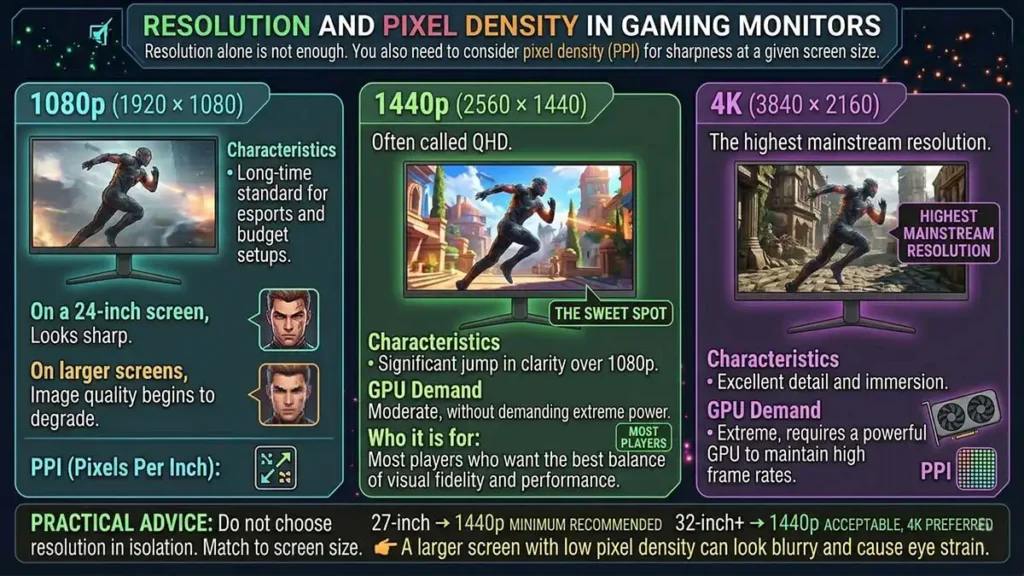
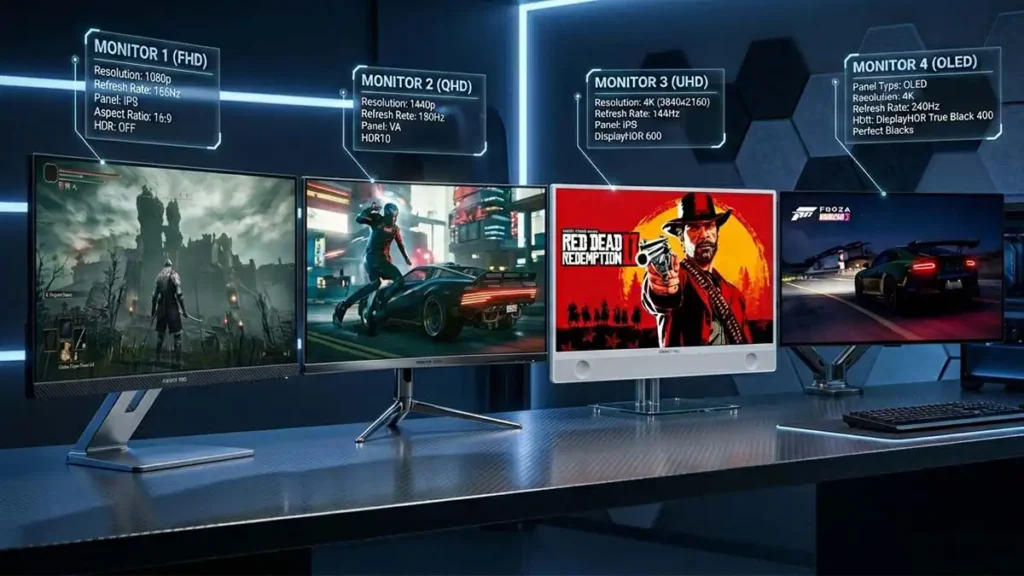
Resolution refers to the number of pixels on a screen (width × height). However, resolution alone is not enough. You also need to consider pixel density (PPI), which determines how sharp the image appears at a given screen size.
Common Resolutions
1080p (1920 × 1080)
The long-time standard for esports and budget setups. On a 24-inch screen, it still looks sharp. On larger screens, image quality begins to degrade.
1440p (2560 × 1440)
Often called QHD. This is widely considered the sweet spot. It delivers a significant jump in clarity over 1080p without demanding extreme GPU power.
4K (3840 × 2160)
The highest mainstream resolution. It provides excellent detail but requires a powerful GPU to maintain high frame rates.
Practical Advice
Do not choose resolution in isolation.
- 24-inch → 1080p or 1440p
- 27-inch → 1440p minimum recommended
- 32-inch+ → 1440p acceptable, 4K preferred
👉 A larger screen with low pixel density can look blurry and cause eye strain.
Gaming Monitor Panel Types (IPS, VA, OLED Explained)
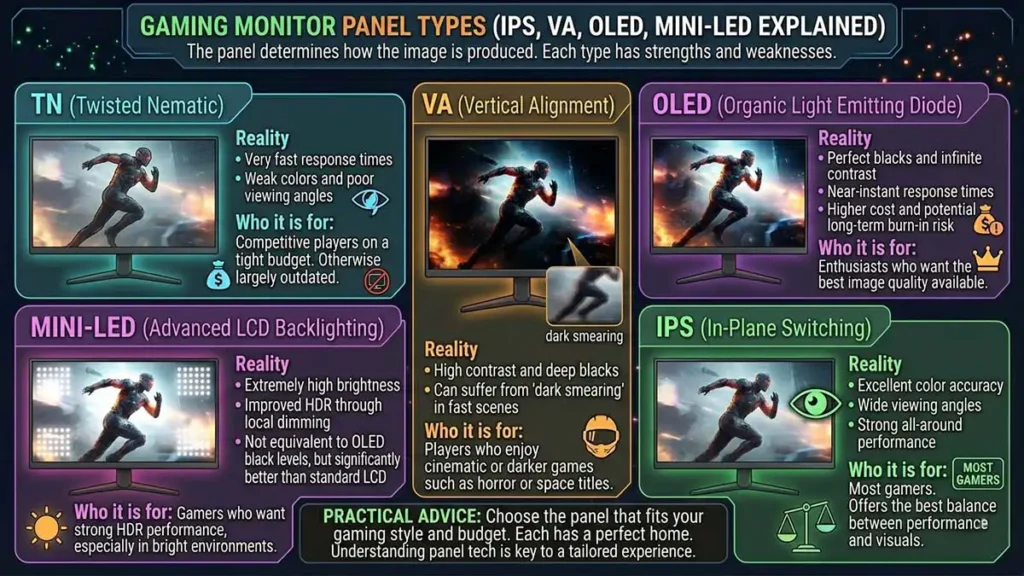
The panel determines how the image is produced. Each type has strengths and weaknesses.
TN (Twisted Nematic)
Reality:
- Very fast response times
- Weak colors and poor viewing angles
Who it is for:
Primarily competitive players on a tight budget. Otherwise largely outdated.
IPS (In-Plane Switching)
Reality:
- Excellent color accuracy
- Wide viewing angles
- Strong all-around performance
Who it is for:
Most gamers. It offers the best balance between performance and visuals.
VA (Vertical Alignment)
Reality:
- High contrast and deep blacks
- Can suffer from “dark smearing” in fast scenes
Who it is for:
Players who enjoy cinematic or darker games such as horror or space titles.
OLED (Organic Light Emitting Diode)
Reality:
- Perfect blacks and infinite contrast
- Near-instant response times
- Higher cost and potential long-term burn-in risk
Who it is for:
Enthusiasts who want the best image quality available.
Mini-LED (Advanced LCD Backlighting)
Reality:
- Extremely high brightness
- Improved HDR through local dimming
- Not equivalent to OLED black levels, but significantly better than standard LCD
Who it is for:
Gamers who want strong HDR performance, especially in bright environments.
Refresh Rate vs Response Time in Gaming Monitors
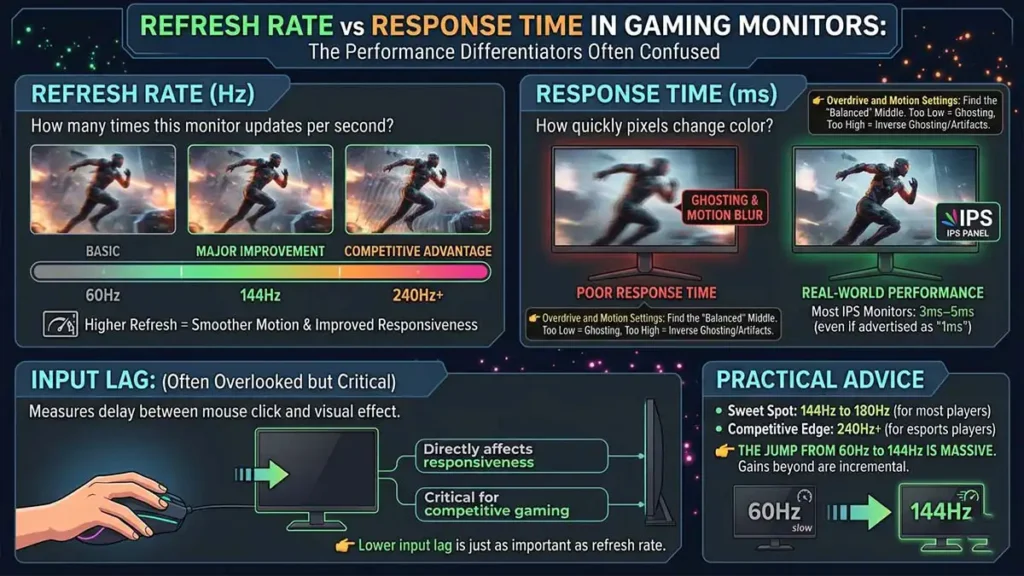
These two are often confused but serve different purposes.
Refresh Rate (Hz)
This is how many times the monitor updates per second.
- 60Hz → basic
- 144Hz → major improvement
- 240Hz+ → competitive advantage
Higher refresh rates result in smoother motion and improved responsiveness.
Response Time (ms)
This measures how quickly pixels change color.
Important clarification:
- Most real-world IPS monitors perform closer to 3ms–5ms, even if advertised as “1ms”
- Poor response times cause ghosting or motion blur
Input Lag (Often Overlooked but Critical)
Input lag measures the delay between your action (mouse movement or button press) and when it appears on screen.
Why it matters:
- Directly affects responsiveness
- Critical for competitive gaming
Reality:
- Rarely listed clearly on spec sheets
- Most modern gaming monitors perform well, but cheaper displays can introduce noticeable delay
👉 For competitive players, lower input lag is just as important as refresh rate.
Overdrive and Motion Settings (Real-World Performance)
Most gaming monitors include an overdrive setting, which speeds up pixel transitions.
The trade-off:
- Too low → ghosting (blur trails)
- Too high → inverse ghosting (visual artifacts or “halo” effect)
Practical advice:
Use the middle or “balanced” setting rather than the maximum.
👉 This is one of the most important real-world tweaks most buyers overlook.
Practical Advice
- 144Hz to 180Hz is the sweet spot for most players
- 240Hz+ is beneficial mainly for competitive esports players
👉 The jump from 60Hz to 144Hz is massive. Beyond that, gains become more incremental.
G-Sync vs FreeSync: Gaming Monitor Sync Technology
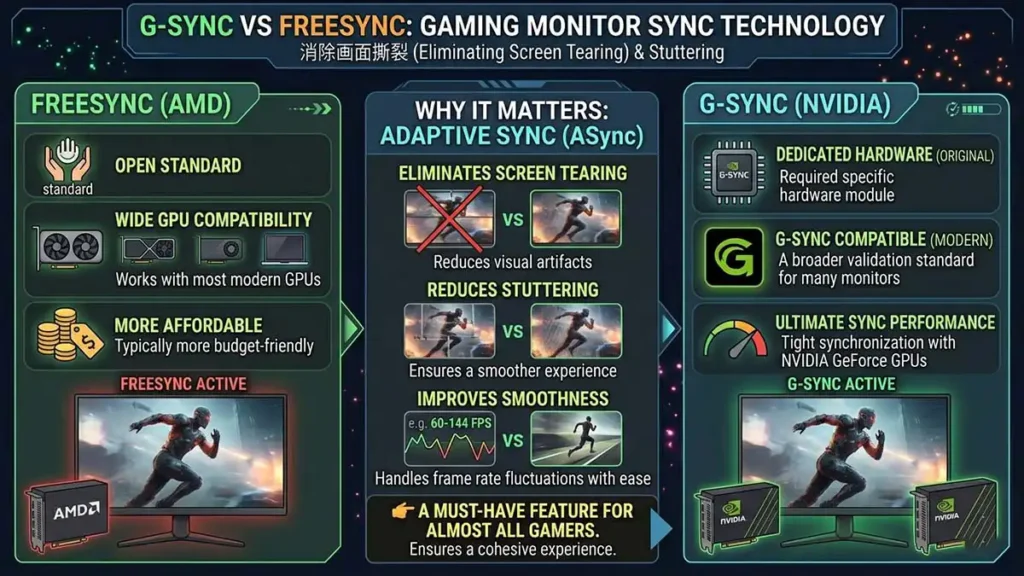
Screen tearing happens when your GPU and monitor are out of sync.
FreeSync
- Open standard
- Works with most modern GPUs
- Typically more affordable
G-Sync
- Originally required dedicated hardware
- Now commonly available as “G-Sync Compatible”
Why It Matters
Adaptive sync:
- eliminates screen tearing
- reduces stuttering
- improves smoothness when frame rates fluctuate
👉 This is a must-have feature for almost all gamers.
HDR and Color Accuracy in Gaming Monitors
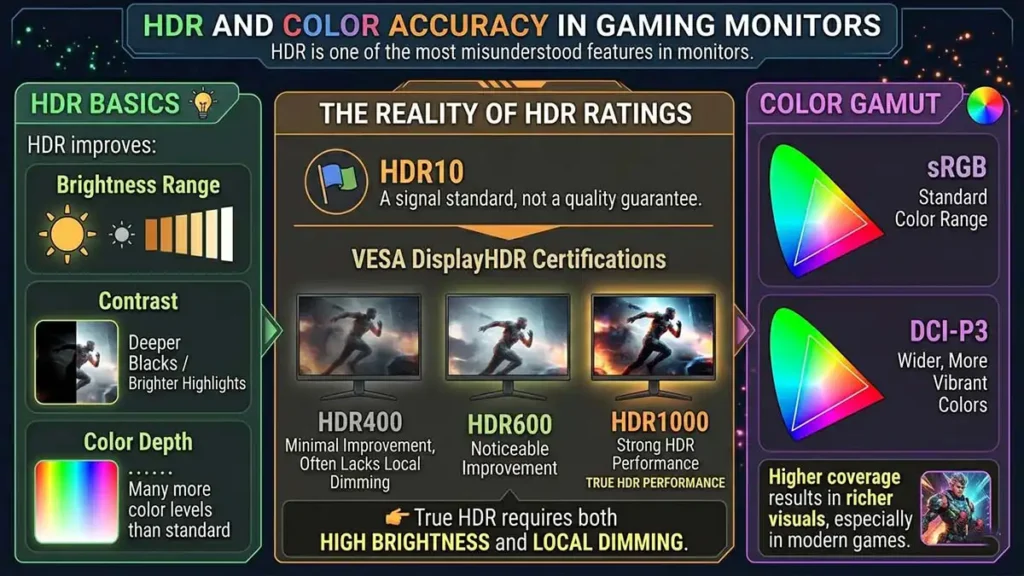
HDR is one of the most misunderstood features in monitors.
HDR Basics
HDR improves:
- brightness range
- contrast between light and dark
- color depth
The Reality of HDR Ratings
HDR10
A signal standard, not a quality guarantee.
VESA DisplayHDR Certifications
- HDR400 → minimal improvement, often lacks local dimming
- HDR600 → noticeable improvement
- HDR1000 → strong HDR performance
👉 True HDR requires both high brightness and local dimming.
Color Gamut
- sRGB → standard color range
- DCI-P3 → wider, more vibrant colors
Higher coverage results in richer visuals, especially in modern games.
Gaming Monitor Ergonomics and Connectivity
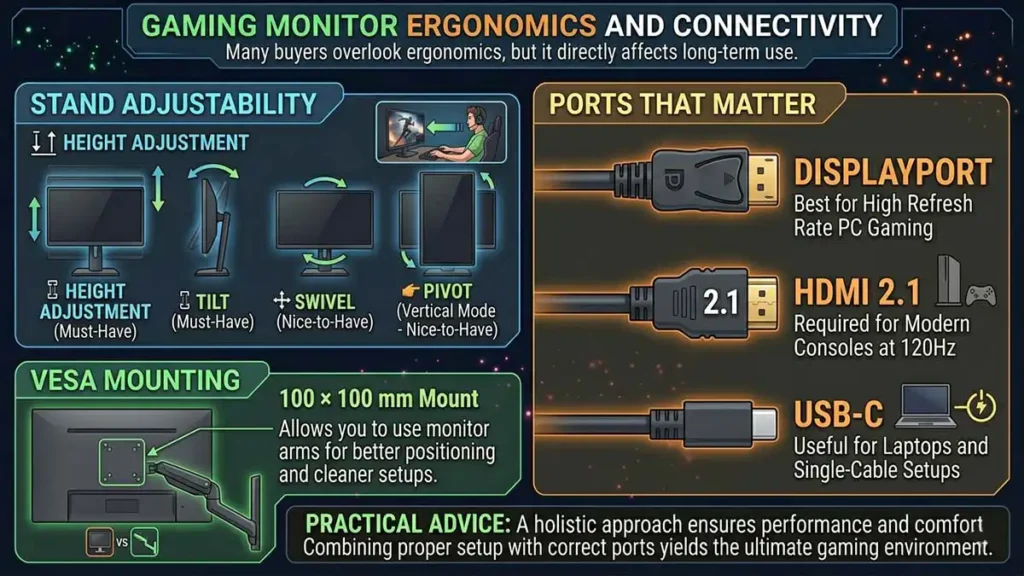
Many buyers overlook ergonomics, but it directly affects long-term use.
Stand Adjustability
Must-haves:
- height adjustment
- tilt
Nice-to-have:
- swivel
- pivot (vertical mode)
VESA Mounting
A 100 × 100 mm mount allows you to use monitor arms for better positioning and cleaner setups.
Ports That Matter
- DisplayPort → best for high refresh rate PC gaming
- HDMI 2.1 → required for modern consoles at 120Hz
- USB-C → useful for laptops and single-cable setups
What Matters by Gamer Type
| Gamer Type | Priority Specs | What to Focus On |
|---|---|---|
| Competitive (FPS) | Refresh rate, response time, input lag | 1080p or 1440p, 144Hz–240Hz+, fast IPS |
| Immersive (RPG) | Resolution, contrast | 1440p or 4K, IPS/VA/OLED |
| Console Player | HDMI 2.1, HDR | 4K, 120Hz support, good HDR |
| Budget Gamer | Balance | 1080p or 1440p, 144Hz, IPS |
👉 Your ideal monitor depends more on how you play than on raw specs.
Final Buying Checklist
Before buying, ask:
- Does the resolution match my GPU performance?
- Is the refresh rate at least 144Hz?
- Does it have adaptive sync?
- Is the panel type suitable for my usage?
- Is the stand adjustable?
- Is the HDR actually meaningful (HDR600 or higher)?
👉 Most bad purchases happen due to misunderstanding specs, not budget
Gaming Monitor Buying Guide: FAQ ❓
For most gamers, 1440p (QHD) is the best choice, offering a balance between performance and visual clarity. Competitive players often prefer 1080p for higher frame rates, while 4K is ideal for high-end setups focused on visual quality.
Yes, upgrading to a 144Hz gaming monitor significantly improves smoothness and responsiveness compared to 60Hz. It is considered the sweet spot for most gamers, while higher refresh rates like 240Hz mainly benefit competitive players.
IPS panels are the best overall choice for most gamers due to their strong color accuracy and performance. VA panels offer better contrast, while OLED provides the highest image quality but at a higher cost.
Yes, G-Sync or FreeSync is highly recommended. These technologies reduce screen tearing and stuttering, providing a smoother gaming experience, especially when frame rates fluctuate.
GameMonkey Verdict
Choosing the Right Monitor
Buying a monitor is about balance. Speed, clarity, color, and price all compete with each other.
- Competitive players should prioritize responsiveness and refresh rate
- Casual and immersive players should focus on resolution, contrast, and color
Understanding what truly matters allows you to avoid marketing traps and invest in a display that improves your experience for years.
A good monitor does not just show your game. It defines how you experience it.