The Complete Gaming Mouse Guide: What Actually Matters (and What’s Just Marketing)
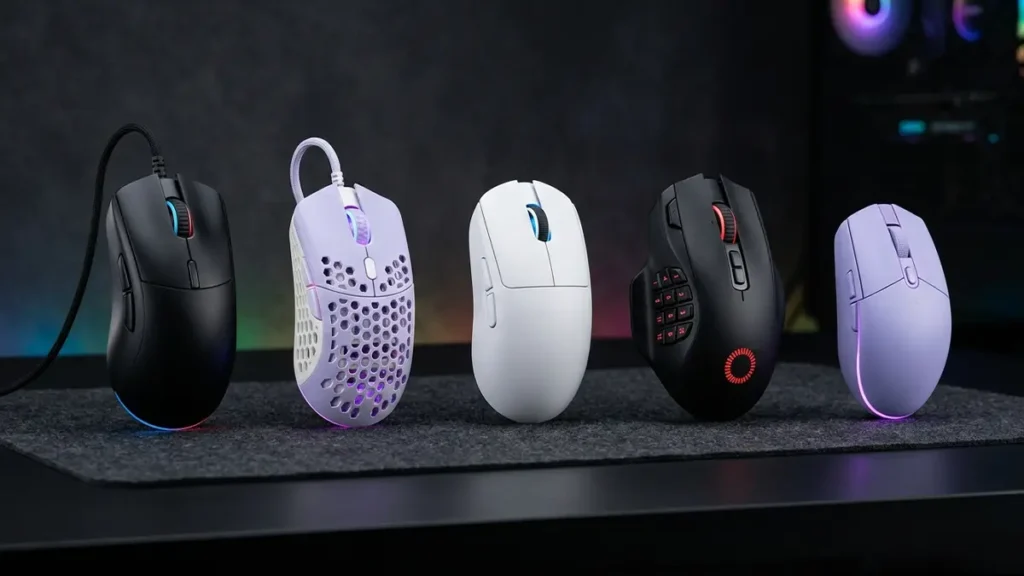
This gaming mouse guide breaks down what actually matters when buying a mouse, because the market makes it far more confusing than it needs to be.
Every product page is filled with bold claims and inflated specs—26,000 DPI, 8,000 Hz polling, optical switches, zero-latency wireless. These features are designed to sound like instant upgrades, as if the right mouse will immediately improve your aim.
It won’t.
Modern gaming mice have improved dramatically over the past decade. The reality today is that most high-quality mice are already extremely capable, and many heavily marketed features offer little real-world benefit.
For most players, the right choice comes down to a few core factors:
- shape and comfort
- sensor reliability
- weight
- connection quality
- button feel
Everything else is secondary.
This guide explains what actually matters, what is mostly marketing hype, and how to choose the right gaming mouse for your playstyle.
1. Shape Matters More Than Specs
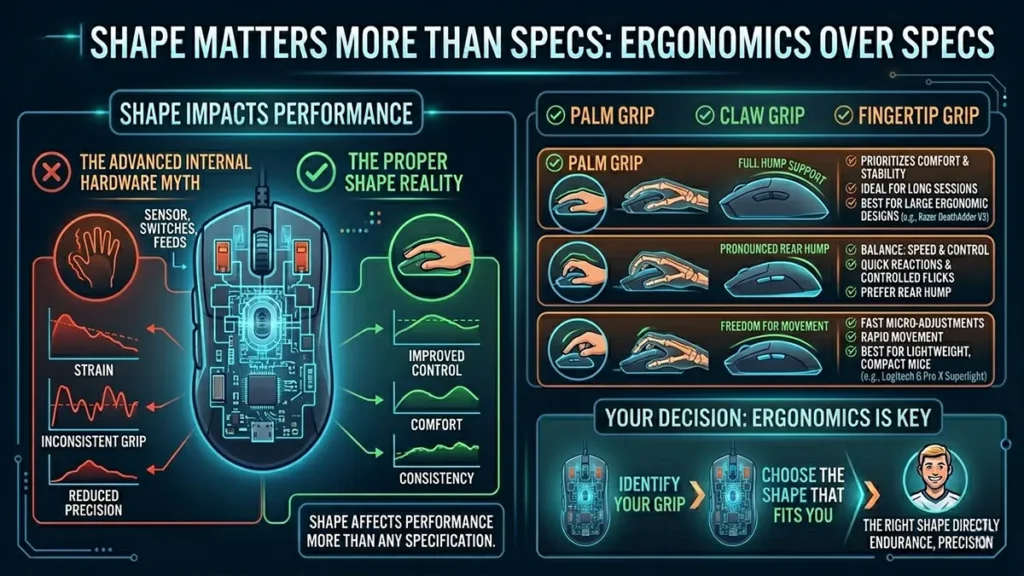
If there is one factor that matters more than any sensor, switch, or feature, it is shape.
A mouse can have the most advanced internal hardware available, but if it does not fit your hand properly, your control, comfort, and consistency will suffer. Over time, a poor shape leads to strain, inconsistent grip, and reduced precision.
In real-world use, shape affects performance more than any technical specification.
The Three Main Grip Styles
Most gamers naturally use one of three grip styles, and understanding yours is the first step to choosing the right mouse.
Palm Grip
Your palm rests fully on the mouse, with fingers lying relatively flat. This style prioritizes comfort and stability, making it ideal for long sessions and relaxed movement. It works best with larger ergonomic designs such as the Razer DeathAdder V3.
Claw Grip
The palm rests lightly while the fingers arch upward. This creates a balance between speed and control, making it well-suited for quick reactions and controlled flicks. Claw grip users typically prefer medium-sized mice with a pronounced rear hump.
Fingertip Grip
Only the fingertips touch the mouse while the palm hovers. This allows for fast micro-adjustments and rapid movement, making it popular in competitive play. Lightweight, compact mice like the Logitech G Pro X Superlight are common here.
Why Shape Matters So Much
Many buyers focus on specs like DPI and polling rate while ignoring ergonomics. That is a mistake.
The right shape directly improves:
- comfort
- consistency
- endurance
- precision
A comfortable mouse helps you perform better for longer. An uncomfortable one will hold you back, no matter how advanced it is.
Pro Tip: Hump Placement Matters
Shape is not just about size—it is also about where the hump sits.
- A rear hump supports palm and claw grips by filling the hand
- A centered or low hump allows more freedom for fingertip movement
This small detail often has a bigger impact than overall dimensions.
2. Sensor Quality: Precision vs Marketing Hype
One of the most misunderstood topics in any gaming mouse guide is DPI.
The sensor translates your physical movement into on-screen movement. While this is critical, modern sensors are already extremely good, which means most differences are subtle.
The DPI Myth
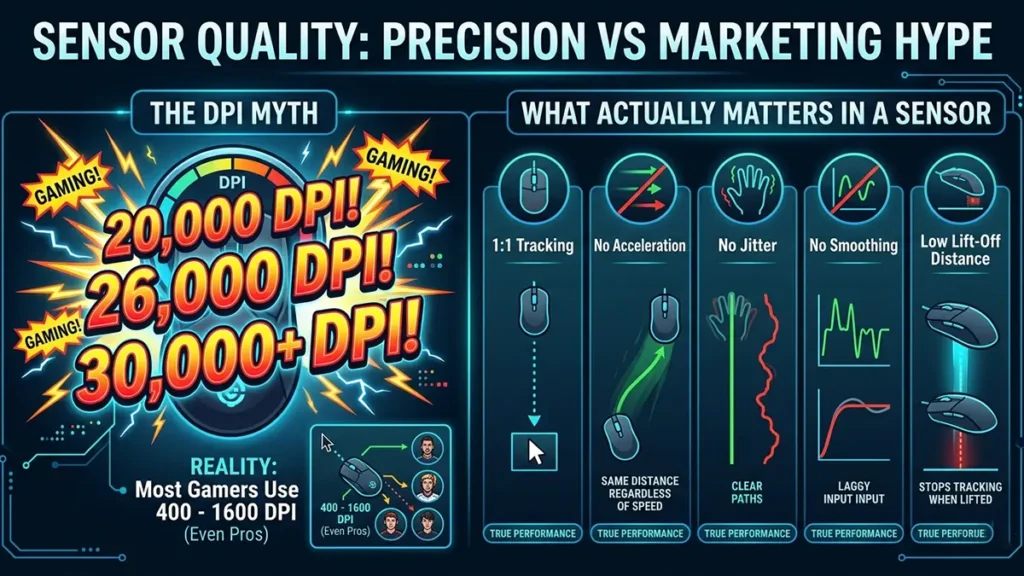
DPI (dots per inch) measures sensitivity. Many gaming mice advertise extremely high values:
- 20,000 DPI
- 26,000 DPI
- 30,000+ DPI
In practice:
Most gamers use between 400 and 1600 DPI
Even professional players stay within this range. Higher maximum DPI does not mean better performance—it simply means the sensor can go higher.
What Actually Matters in a Sensor
Instead of focusing on DPI, look at how the sensor performs in real use. A high-quality sensor should provide:
- 1:1 tracking → movement matches your hand exactly
- no acceleration → speed does not affect distance
- no jitter → smooth, stable tracking
- no smoothing → raw, predictable input
- low lift-off distance (LOD) → stops tracking when you lift the mouse
These factors directly impact consistency and aiming precision.
DPI
Think of DPI like steering sensitivity in a car.
A higher sensitivity means small movements cause large changes in direction, while lower sensitivity gives you more control but requires bigger movements.
Neither is “better”, it depends on how you prefer to drive.
3. Weight: Speed vs Control
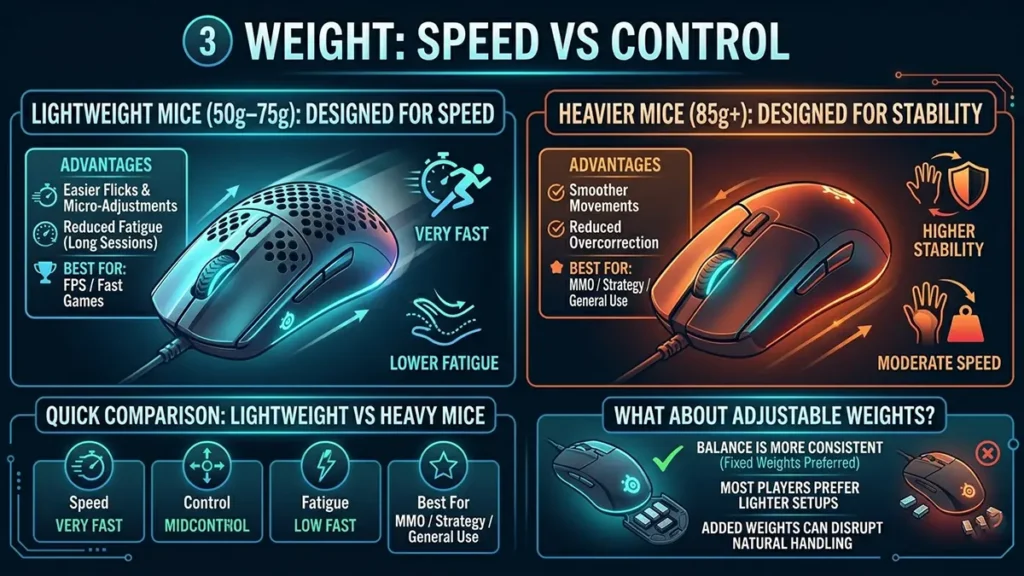
Mouse weight is one of the most noticeable performance factors. It directly influences how fast and controlled your movements feel.
Lighter mice, typically between 50g and 75g, are designed for speed. They reduce resistance, making flicks and micro-adjustments easier while also reducing fatigue over long sessions. This is why they are widely used in competitive FPS games, with models like the SteelSeries Aerox 3 Wireless reflecting this trend.
Heavier mice, usually above 85g, offer more stability. They can help smooth out movements and reduce overcorrection, which some players prefer for slower-paced games or general use.
Quick Comparison: Lightweight vs Heavy Mice
| Feature | Lightweight (50g–75g) | Heavier (85g+) |
|---|---|---|
| Speed | Very fast | Moderate |
| Control | Lower (more sensitive) | Higher (more stable), smoother control |
| Fatigue | Lower | Higher |
| Best For | FPS / fast games | MMO / strategy / general use |
What About Adjustable Weights?
Some mice include removable weights, but this feature has become less common.
Modern designs often favor fixed weights because:
- balance is more consistent
- most players prefer lighter setups
- added weights can disrupt natural handling
In most cases, it is better to choose a mouse that feels right out of the box.
4. Wired vs Wireless: The Gap Is Gone
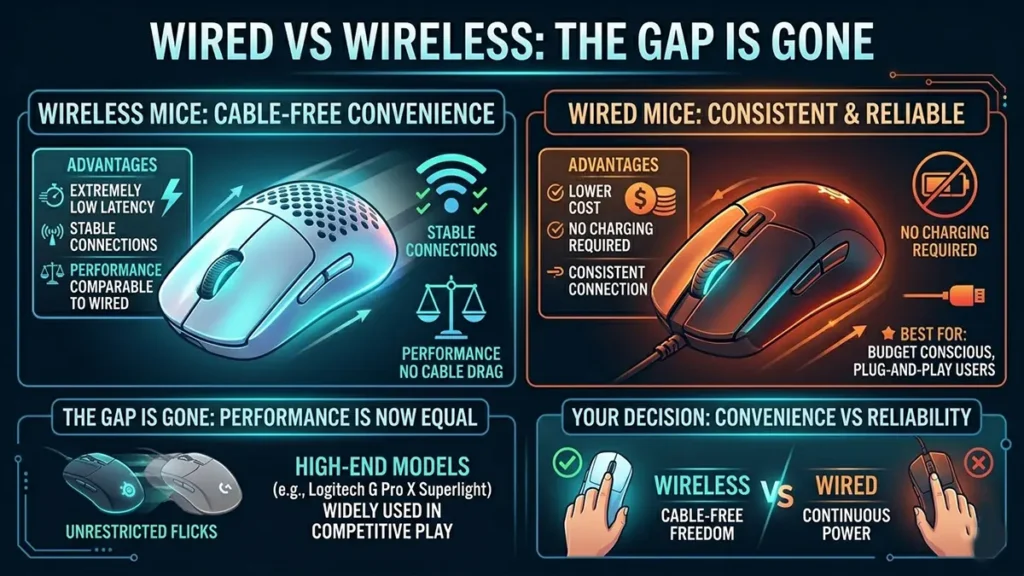
Wireless gaming mice have improved to the point where performance differences are nearly nonexistent.
Modern wireless technology offers:
- extremely low latency
- stable connections
- performance comparable to wired mice
It also removes cable drag, which can subtly affect movement during fast flicks. This is why high-end wireless mice like the Logitech G Pro X Superlight are widely used even in competitive play.
Wired mice still have advantages:
- lower cost
- no charging required
- consistent connection
At this point, the decision is not about performance.
It comes down to whether you value cable-free convenience.
5. Polling Rate: When More Stops Mattering
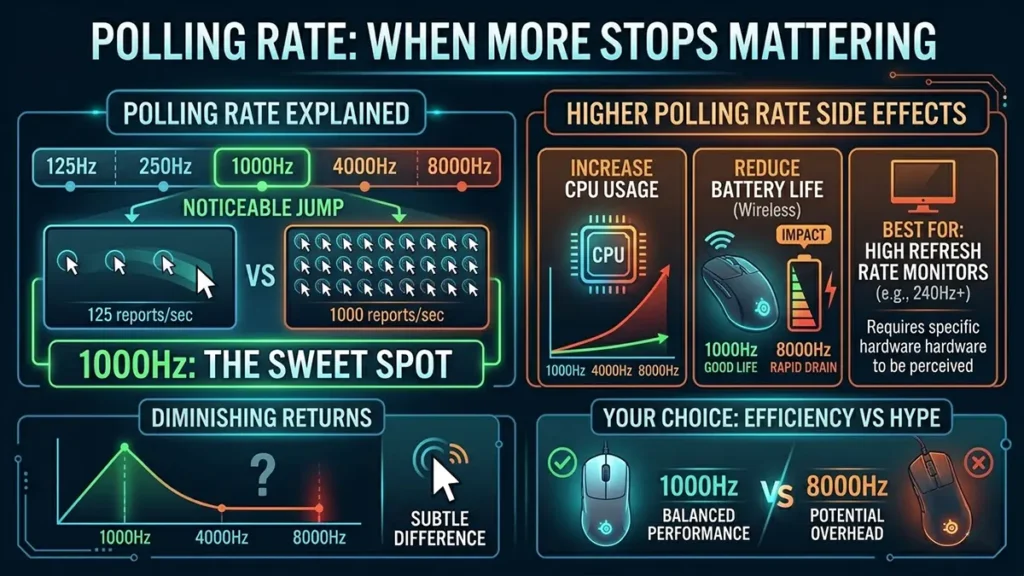
Polling rate refers to how often your mouse reports its position to your computer.
Common options include:
- 125Hz
- 500Hz
- 1000Hz
- 4000Hz
- 8000Hz
The jump from 125Hz to 1000Hz is noticeable and improves responsiveness. However, beyond 1000Hz, the benefits quickly diminish.
Higher polling rates can also:
- increase CPU usage
- reduce battery life on wireless mice
For most players, 1000Hz is the sweet spot
Higher values are more about diminishing returns than meaningful improvement.
Polling Rate
Polling rate is similar to how often a camera takes snapshots.
At 1000Hz, your mouse is sending 1000 updates per second. Increasing that to 8000Hz means more frequent updates but the difference becomes harder to notice, especially if your “display” (monitor and system) can’t fully take advantage of it.
6. Switches: Feel Over Technology
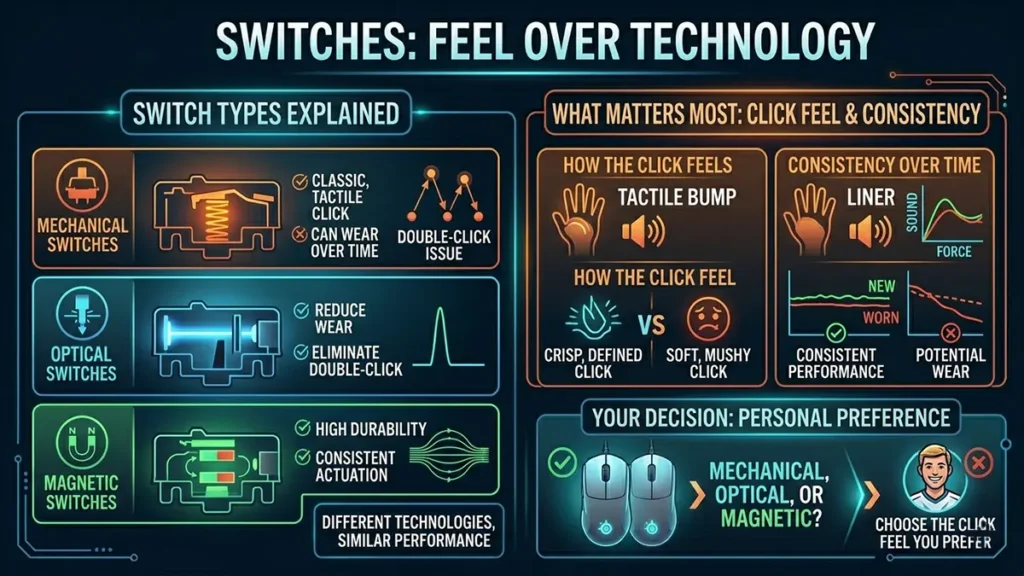
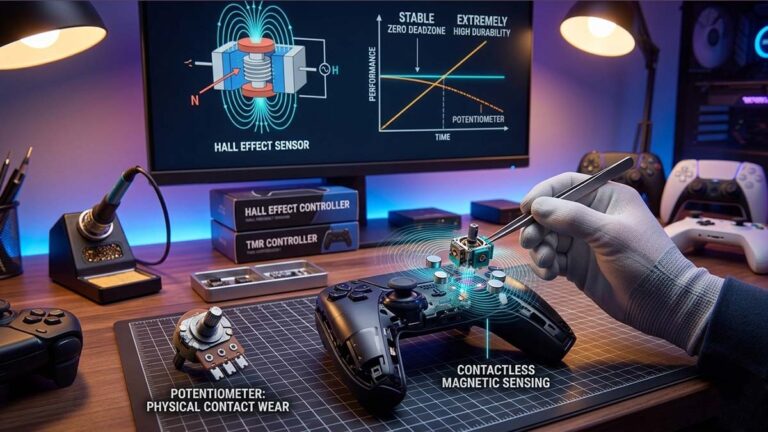
Gaming mice use different switch types, including mechanical, optical, and magnetic designs.
- Mechanical switches offer a classic, tactile click but can wear over time
- Optical switches reduce wear and eliminate double-click issues
- Magnetic switches provide high durability and consistent actuation
While these technologies differ, they do not dramatically change performance.
What matters most is how the click feels and how consistent it is over time.
7. What Matters Most by Gamer Type
Different players prioritize different features, but the fundamentals remain consistent.
| Feature | Competitive FPS | MMO / MOBA | Casual | Work + Gaming |
|---|---|---|---|---|
| Shape & Comfort | Very High | High | Very High | Very High |
| Weight | Very High | Medium | Medium | Medium |
| Sensor Accuracy | Very High | High | Medium | Medium |
| Wireless | High | Medium | Medium | High |
| Extra Buttons | Low | Very High | Medium | Medium |
| Click Speed | High | Medium | Medium | Medium |
| Battery Life | Medium | Medium | Medium | High |
| RGB | Low | Medium | Medium | Low |
Competitive FPS players prioritize lightweight designs and precise sensors. MMO and MOBA players often value additional programmable buttons and long-term comfort, which is why mice like the Razer Naga V2 are built with extensive side controls.
Casual players and hybrid users should focus primarily on comfort, reliability, and versatility.
8. Common Marketing Myths
Many gaming mouse features are marketed as essential, but offer little real advantage.
- Higher DPI = better aim ❌
- 8000Hz polling = major improvement ❌
- Wireless = laggy ❌ (outdated)
- Switch type determines performance ❌
Most of these claims are exaggerated for marketing purposes.
9. How to Choose the Right Gaming Mouse
This is where a good gaming mouse guide should simplify your decision. Choosing the right mouse becomes much easier when you focus on what actually matters.
Start with your grip style and hand size, as these determine the shapes that will feel comfortable. Then consider your preferred weight based on the types of games you play. Decide whether you value wireless freedom or prefer the simplicity of a wired connection.
Most importantly, ignore extreme specifications.
You do not need ultra-high DPI or ultra-high polling rates to perform well.
Focus on comfort, consistency, and control.
10. What Pro Players Actually Use
Professional players tend to keep things simple. Most use moderate DPI settings within the 400 to 1600 range and prefer lightweight mice that allow for fast, controlled movement.
Rather than chasing extreme specs, they rely on consistency and muscle memory.
This reinforces a key point: performance comes from control, not from numbers on a spec sheet.
Gaming Mouse Guide: FAQ ❓
For most players, the best DPI is between 400 and 1600. This range offers a balance between speed and control, making it easier to aim consistently. Higher DPI settings are rarely necessary and can make precise movements harder to manage.
No. Modern wireless gaming mice perform nearly the same as wired ones in terms of latency and responsiveness. The main differences today are price, battery life, and convenience rather than performance.
A good weight depends on your playstyle. Lightweight mice (50g–75g) are ideal for fast-paced games and quick movements, while heavier mice (85g+) provide more stability and controlled tracking.
Focus on the essentials: shape, comfort, sensor reliability, weight, and button feel. These factors have a much bigger impact on performance than specs like ultra-high DPI or polling rate.
For most players, no. While higher polling rates slightly reduce input delay, the difference beyond 1000Hz is minimal in real-world use and can increase CPU usage or reduce battery life.
GameMonkey Verdict
Focus on the Fundamentals
The goal of this gaming mouse guide is simple: help you focus on what actually matters. The best gaming mouse is not the one with the highest specifications or the most aggressive marketing.
It is the one that:
- fits your hand properly
- feels comfortable over long sessions
- tracks reliably
- matches your playstyle
Modern gaming mice are already highly capable. That means the real advantage does not come from extreme features, but from the fundamentals.
If you focus on shape, comfort, and consistency, you will make a far better decision than by chasing marketing hype.