The Ultimate CPU Guide for Gamers (2026): How to Choose the Right Processor
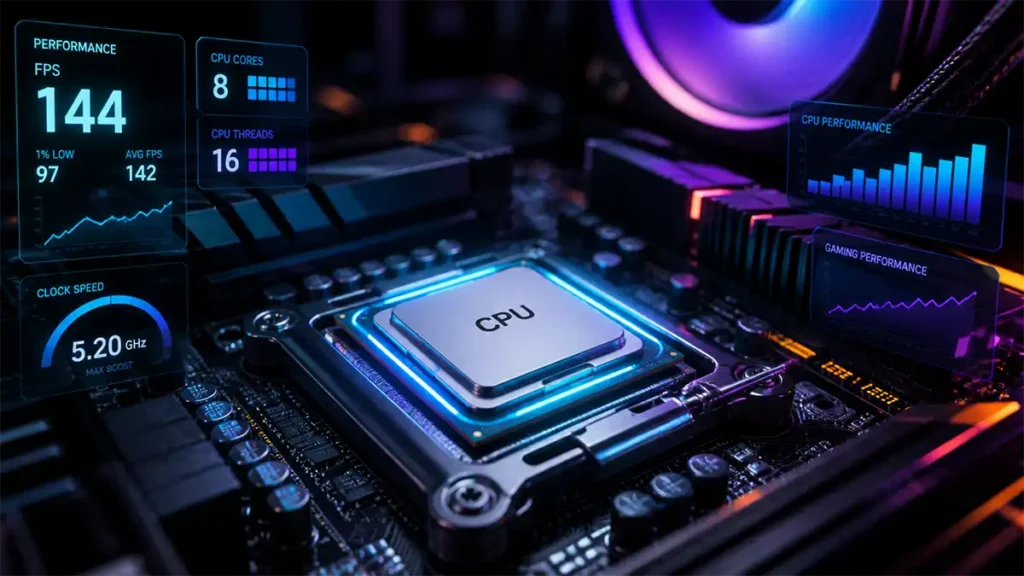
Choosing the right CPU for gaming in 2026 isn’t about buying the most expensive processor, it’s about understanding how different specs translate into real performance.
Many gamers get lost in terms like cores, threads, clock speed, and generations. This CPU guide for gamers cuts through that noise and focuses on what actually matters:
What CPU do you actually need for your setup?
What You’ll Learn in This Guide
This guide is designed to help you understand how CPUs actually impact gaming performance, so you can make a smarter buying decision without overpaying.
Inside, you’ll learn:
- How cores, threads, and clock speed affect real gameplay
- What the CPU actually does in games (and what it doesn’t)
- How resolution changes CPU importance
- The real differences between AMD and Intel CPUs
- How to avoid common CPU bottlenecks
- What CPU you actually need based on your setup
- Key mistakes to avoid when buying a CPU
By the end, you’ll know exactly how to choose a CPU that fits your build, your budget, and your gaming goals.
CPU Fundamentals: Cores, Threads, and Clock Speed
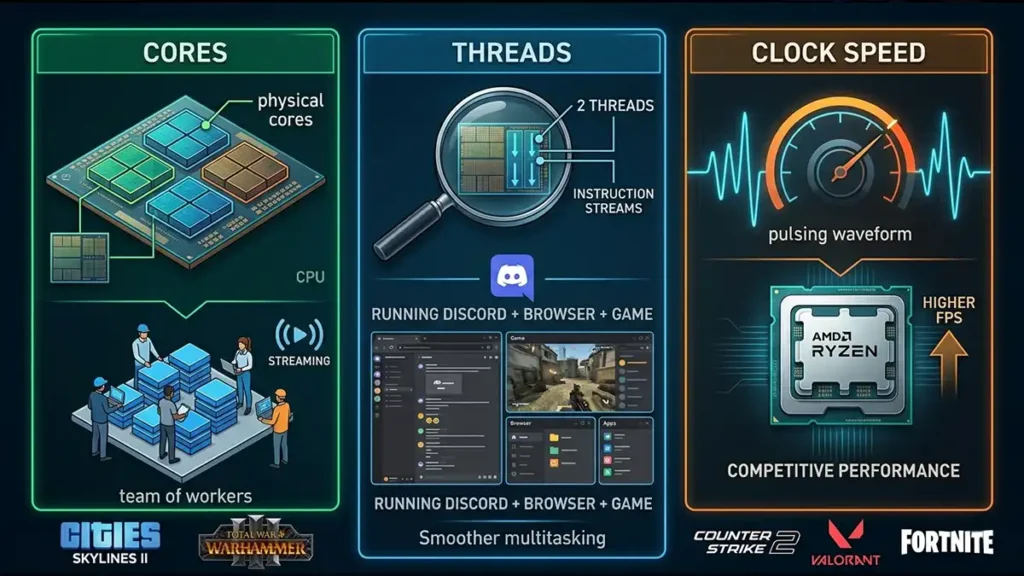
Before comparing brands or models, you need to understand the three core elements that define CPU performance. Once you grasp these, most marketing becomes easy to see through.
Cores: The Workload Handlers
A CPU core is an independent processing unit. The more cores you have, the more tasks your system can handle at the same time—but that doesn’t always mean better gaming performance.
Think of cores like workers in a team. More workers help when there are many tasks, but not every game uses them efficiently.
Where more cores actually matter:
- Running multiple apps while gaming
- Streaming your gameplay
- Simulation-heavy games like:
- Cities: Skylines II
- Total War: Warhammer III
These types of games simulate complex systems (AI, economies, large battles), which scale well with additional cores.
Threads: Multitasking Efficiency
Threads determine how many instruction streams each core can handle. In simple terms, they improve how efficiently your CPU multitasks.
For example:
- 6 cores / 12 threads will feel smoother than 6 cores / 6 threads when multitasking
Where threads make a noticeable difference:
- Streaming with OBS in the background
- Running Discord, a browser, and a game simultaneously
- Content creation and editing workloads
Threads don’t usually increase raw FPS, but they make your system feel significantly smoother under load.
Clock Speed (GHz): Per-Core Performance
Clock speed defines how fast each core can execute tasks. This is one of the most important factors for gaming—especially competitive titles.
Higher clock speeds directly impact:
- High FPS gaming
- Input responsiveness
- Competitive performance
Games like:
- Counter-Strike 2
- Valorant
- Fortnite
…rely heavily on single-core performance, meaning faster cores often result in higher and more stable FPS.
Who Needs What?
Different types of players benefit from different CPU strengths. There’s no “one-size-fits-all” choice.
| User Type | Priority |
|---|---|
| Competitive gamer | High clock speed |
| Simulation gamer | More cores |
| Streamer | Cores + threads |
| Casual gamer | Balanced |
| Budget gamer | Fewer cores acceptable |
The choice between faster cores and more cores depends entirely on how you use your PC.
What the CPU Actually Does in Gaming
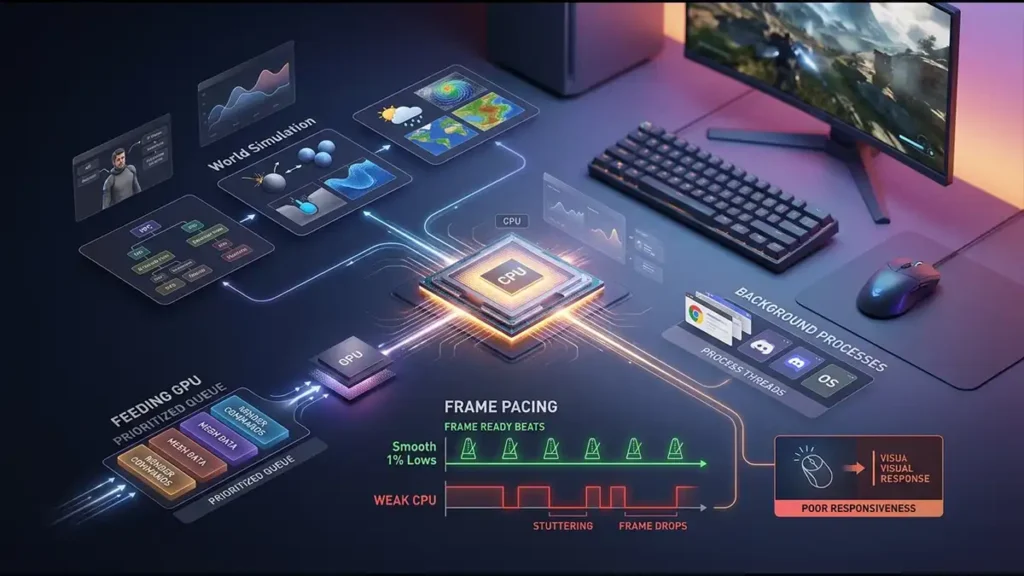
It’s easy to think the GPU does everything, but the CPU plays a critical behind-the-scenes role that directly affects how games feel.
Your CPU is responsible for:
- Game logic (AI, physics, world systems)
- Frame pacing (smoothness and 1% lows)
- Feeding instructions to your GPU
- Handling background processes
While the GPU renders frames, the CPU determines how consistently those frames are delivered. That’s why a weak CPU can cause:
- Stuttering
- Frame drops
- Poor responsiveness, even with a powerful GPU
CPU Bottlenecks Explained
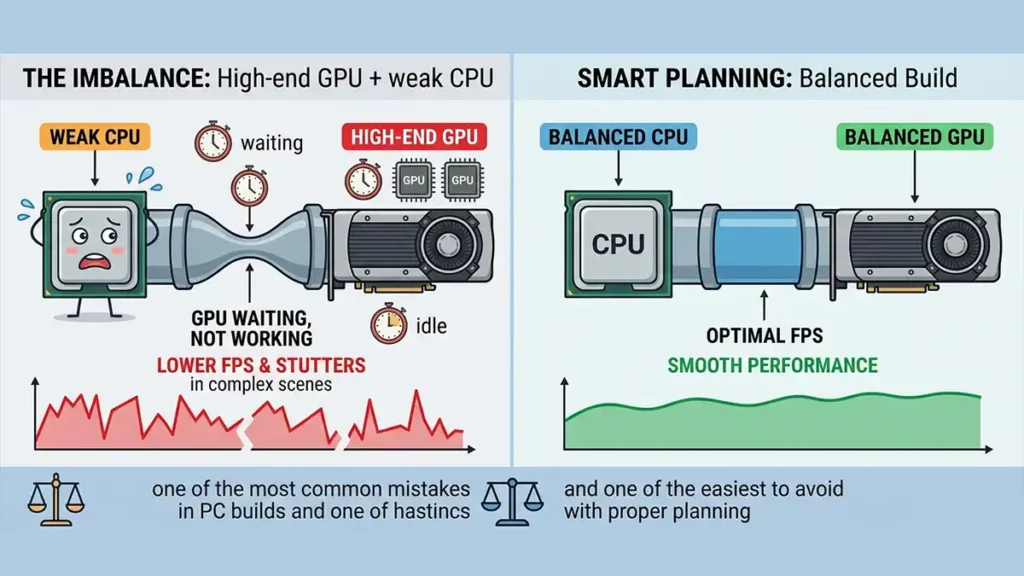
A CPU bottleneck happens when your processor can’t keep up with your graphics card. This creates an imbalance where your GPU is waiting instead of working.
Example:
- High-end GPU + weak CPU → Lower FPS → Stutters in complex scenes
This is one of the most common mistakes in PC builds and one of the easiest to avoid with proper planning.
Resolution Changes CPU Importance
Your resolution dramatically affects how important your CPU is. Lower resolutions shift the workload toward the CPU, while higher resolutions rely more on the GPU.
| Resolution | CPU Importance | Explanation |
|---|---|---|
| 1080p | Very high | GPU is less stressed → CPU limits FPS |
| 1440p | Balanced | Shared workload |
| 4K | Lower | GPU becomes the bottleneck |
In practice:
- 1080p esports players need stronger CPUs
- 4K players benefit more from GPU upgrades
AMD vs Intel: The Only Two That Matter
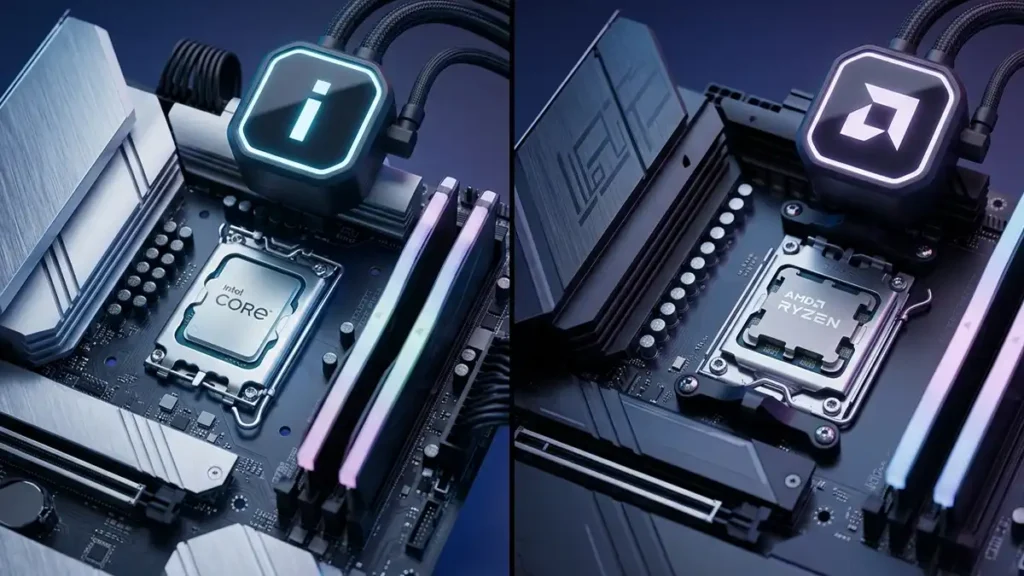
In 2026, the gaming CPU market is effectively a two-player space: AMD and Intel. Both offer excellent performance, and for most users, you won’t go wrong with either.
Before comparing them, it’s worth addressing the alternatives.
What About Other CPU Brands?
Some companies make impressive chips, but they aren’t practical for gaming PCs.
🟡 Apple
- Extremely efficient M-series CPUs
- Not part of the Windows gaming ecosystem
- Limited compatibility with many titles
🟠 Qualcomm
- ARM-based processors
- Still early in PC gaming adoption
Conclusion: For a gaming PC, stick with AMD or Intel.
AMD vs Intel (Real Differences)
Both brands are highly competitive, but they differ in architecture, efficiency, and long-term platform value.
| Feature | AMD Ryzen | Intel Core Ultra |
|---|---|---|
| Gaming performance | Excellent (X3D leads) | Excellent |
| Multitasking | Strong | Very strong |
| Efficiency | Better | Improving |
| Architecture | Traditional cores | Hybrid (P + E cores) |
| Platform lifespan | Longer | Shorter |
The real differences aren’t about “which is better”, they’re about which fits your priorities.
The “X3D” Advantage: Why Cache is King
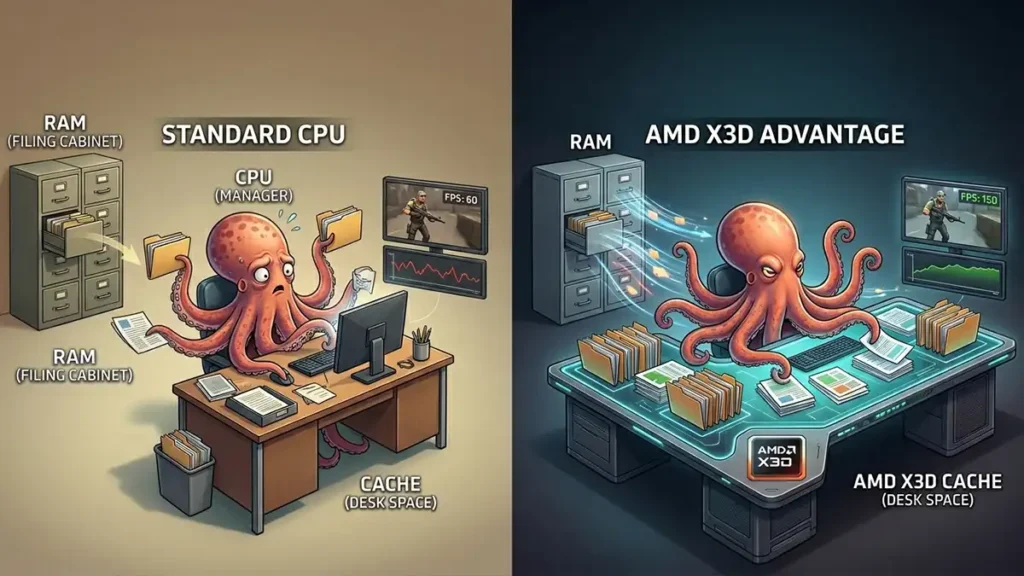
One of the biggest gaming innovations in recent years is AMD’s X3D technology. It increases cache size dramatically, which has a direct impact on game performance. Think of it like this:
- CPU = manager
- RAM = filing cabinet
- Cache = desk space
A larger cache means the CPU spends less time fetching data and more time processing it.
This is why X3D chips often outperform higher-clocked CPUs in games, they reduce delays instead of just increasing speed.
The NPU Factor (AI in Modern CPUs)

Modern CPUs now include NPUs (Neural Processing Units), designed to handle AI-related tasks.
It’s important to set expectations here:
NPUs do not increase FPS. What they do handle:
- AI noise cancellation
- Background blur
- Windows Studio Effects
- AI-assisted workflows
The real benefit: They offload these tasks from the CPU, allowing it to stay focused on gaming.
Platform Longevity (The Socket Reality)
Your CPU choice also affects how easy it is to upgrade in the future.
AMD Advantage
- AM5 socket supports multiple generations
- Upgrade CPU later without replacing motherboard
Intel Reality
- New sockets more frequently (e.g., LGA 1851)
- Platform upgrades happen more often
In simple terms:
- AMD = more upgrade flexibility
- Intel = more frequent full upgrades
Intel Hybrid Architecture (What You Should Know)
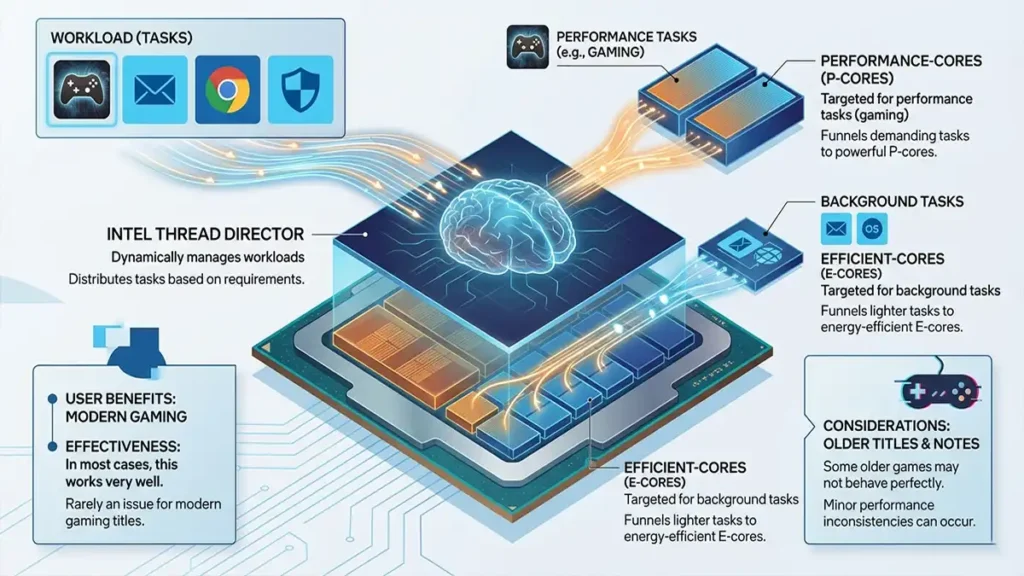
Intel’s modern CPUs use a hybrid design:
- P-cores → performance tasks (gaming)
- E-cores → background tasks
This system is managed by Intel Thread Director, which distributes workloads dynamically.
In most cases, this works very well, but:
- Some older games may not behave perfectly
- Minor performance inconsistencies can occur
For modern titles, this is rarely an issue.
CPU Naming Explained (Without the Confusion)
CPU names look complicated, but they follow predictable patterns. Once you understand them, comparing models becomes much easier.
AMD Ryzen Naming (Example: Ryzen 7 7800X3D)
| Part | Meaning |
|---|---|
| Ryzen 7 | Tier |
| 7 | Generation |
| 800 | Performance level |
| X3D | Extra gaming cache |
AMD Suffixes
| Suffix | Meaning |
|---|---|
| X | Higher performance |
| X3D | Best for gaming (large cache) |
| G | Has integrated graphics |
| None | Standard |
Intel Core Ultra Naming (Modern CPUs) (Example: Core Ultra 7 265K)
| Part | Meaning |
|---|---|
| Core Ultra 7 | Tier |
| 2 | Generation family |
| 65 | Performance tier |
| K | Unlocked |
Intel Suffixes
| Suffix | Meaning |
|---|---|
| K | Overclockable |
| F | No integrated graphics |
| KF | No iGPU + unlocked |
| Non-K | Locked |
| U / H | Laptop CPUs |
The key idea: Don’t focus on the full name, focus on generation, tier, and suffix.
New Generation vs Older CPUs
One of the most important rules in PC building is simple:
Newer generation usually beats older high-end. This happens because newer CPUs bring:
- Better architecture
- Improved efficiency
- Faster memory support
Example:
- New Ryzen 5 > Old Ryzen 7
- New Core Ultra 5 > Older flagship
Prioritize: Generation first, tier second (in most cases).
What CPU Do You Actually Need?
Now that you understand how CPUs work, choosing one becomes much easier. Most gamers don’t need high-end chips—they just need the right tier.
| User Type | Recommended CPU |
|---|---|
| Esports gamer (1080p) | Ryzen 5 / Core Ultra 5 |
| AAA gamer | Ryzen 5 / Core Ultra 5 |
| Simulation gamer | Ryzen 7 / Core Ultra 7 |
| Streamer | Ryzen 7 / Core Ultra 7 |
| Video editor | Ryzen 9 / Core Ultra 9 |
| Budget gamer | Ryzen 3 / Core Ultra 3 |
For most players, the mid-range is the sweet spot between performance and cost.
What Factors Matter Most?
Your setup and habits matter more than raw specs. These are the factors that should guide your decision:
| Factor | CPU Impact |
|---|---|
| Resolution | Lower = CPU matters more |
| Streaming | Needs more cores |
| Multitasking | Needs threads |
| Editing | Needs many cores |
| Competitive gaming | Needs high clock speed |
Memory speed plays a bigger role than many people realize. A powerful CPU paired with slow RAM can limit performance. In 2026:
- DDR5 sweet spot–7200 MT/s
Think of it like this:
Pairing a high-end CPU with slow RAM is like putting economy tires on a Ferrari it works, but you’re not getting the full performance.
Cooling, Thermals & Performance
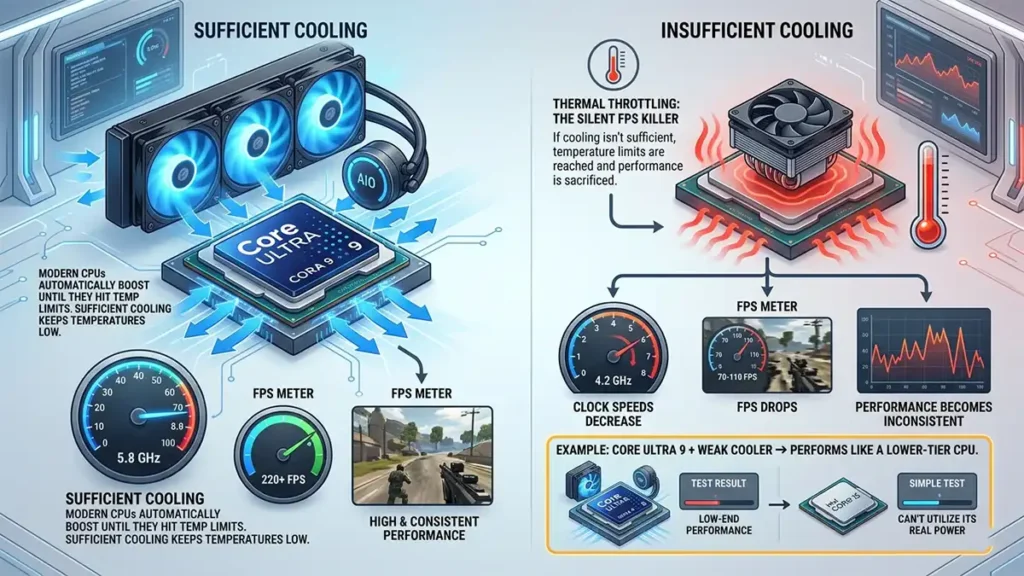
Performance isn’t just about specs, thermals play a huge role in real-world results.
Thermal Throttling: The Silent FPS Killer
Modern CPUs automatically boost until they hit temperature limits. If cooling isn’t sufficient, performance drops. When this happens:
- Clock speeds decrease
- FPS drops
- Performance becomes inconsistent
Example:
- Core Ultra 9 + weak cooler → performs like a lower-tier CPU
Total Cost of Ownership
A CPU isn’t just a one-time purchase, it affects your entire build cost.
The key insight: CPU price alone doesn’t reflect the true cost of your system.
| CPU Tier | Cooler | Motherboard | Longevity |
|---|---|---|---|
| Ryzen 5 / Ultra 5 | Basic air | Budget | High |
| Ryzen 7 X3D | Mid-range | Mid-range | High |
| Core Ultra 9 | High-end AIO | Expensive | Medium |
CPU Buying Tips and Common Mistakes
Many builders waste money or lose performance by making avoidable mistakes. Here are the most common Tips and mistakes:
CPU Guide for Gamers: FAQ ❓
No. Most gamers get excellent performance from mid-range CPUs, especially when paired with a strong GPU.
Both offer excellent performance. The best choice depends on pricing, features, and your upgrade plans.
- Gaming → 6–8 cores
- Streaming → 8–12 cores
- Heavy workloads → 12+ cores
Yes. especially at 1080p and in competitive titles where high frame rates depend on strong single-core performance.
In most cases, upgrading your GPU will give you a bigger performance boost than upgrading your CPU.
GameMonkey Verdict
The best CPU isn’t the fastest!
The best CPU isn’t the fastest, it’s the one that fits your gaming style, resolution, and workload.
In 2026:
- Stick with AMD or Intel
- Prioritize newer generations
- Don’t ignore cooling, RAM, or platform
Because in the end: A balanced system will always outperform an unbalanced expensive one.